Borderlands 3 Cheat System Requirements
Before getting started with Borderlands 3 cheats, it’s worth understanding the PC configuration required for the complete setup.
Our Borderlands 3 cheat software is designed around compatible Windows systems and includes several features for players looking to customize their gameplay.
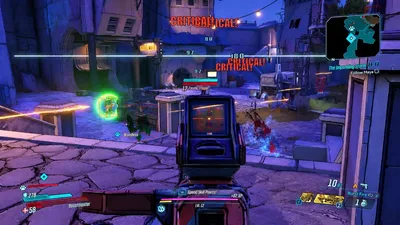
From enemy ESP and loot highlighting to soft aim and radar, the software brings together multiple options in one package.
In this guide, we’ll cover the listed operating system requirements, supported clients, hardware specifications and the Cloud DMA configuration.
Start from Borderlands 3 cheats, compare pricing, and review the Cloud DMA product for infrastructure specs.
Which Borderlands 3 Game Clients Are Supported?
The Borderlands 3 product information lists the following supported PC client options:
- Steam.
- Official Client.
The intended setup is designed for compatible PC installations of Borderlands 3.
Checking your game client before starting helps ensure that you’re preparing the appropriate configuration.
Windows 10 and Windows 11 Compatibility
The listed Borderlands 3 cheat system requirements include both Windows 10 and Windows 11.
| Requirement | Listed specification |
|---|---|
| Operating system | Windows 10 |
| Alternative operating system | Windows 11 |
| Memory | 8 GB RAM minimum |
| Graphics | Dedicated GPU |
| Game clients | Steam / Official Client |
Both Windows versions are included in the product’s stated operating system support.
For the associated Cloud DMA environment, a compatible 64-bit Windows edition with the necessary Hyper-V capabilities is also important.
RAM and Graphics Requirements
Your system hardware is an important part of the overall configuration.
RAM
The listed Borderlands 3 cheat product requirements specify at least 8 GB of system memory.
Cloud DMA also lists 8 GB as its minimum, with 16 GB recommended.
For a more comfortable configuration, preparing 16 GB of RAM is a sensible choice.
Dedicated Graphics
The Borderlands 3 product page lists a dedicated GPU as part of the requirements.
A compatible graphics configuration should be prepared alongside the supported operating system and memory specifications.
Internet Connection
Cloud DMA lists a stable internet connection as one of its requirements.
This should be considered when preparing the full environment.
HVCI, Core Isolation, TPM and Secure Boot
The Borderlands 3 product configuration also lists several Windows security and system settings.
These include:
- HVCI.
- Core Isolation.
- TPM.
- Secure Boot.
These settings form part of the product’s listed system configuration.
Their availability and configuration depend on your Windows installation and computer hardware.
When preparing your system, review the supplied product setup instructions so that the relevant Windows settings are configured for the supported environment.
Why Cloud DMA Is Required
Cloud DMA is an important part of the complete Borderlands 3 cheat configuration on supported builds.
It uses a Hyper-V-based virtualization environment, bringing together the required infrastructure around one compatible Windows PC.
The Cloud DMA system requirements include:
| Component | Requirement |
|---|---|
| Operating system | Windows 10 / Windows 11 64-bit |
| Virtualization | CPU virtualization support |
| Platform | Hyper-V |
| Minimum RAM | 8 GB |
| Recommended RAM | 16 GB |
| Internet | Stable connection |
Cloud DMA provides the virtualization foundation for the supported Borderlands 3 configuration.
Players preparing their systems should review both the cheat product specifications and the Cloud DMA requirements to understand the complete setup.
Borderlands 3 Cheat Features
Once you’ve reviewed the system configuration, you can explore the available Borderlands 3 cheat features.
Enemy ESP
Additional visual information helps you keep track of enemy activity throughout gameplay.
Loot ESP
Identify loot around the environment through visual indicators.
Soft Aim
Configure available aiming assistance settings around your preferred approach to combat.
Radar
Use the radar feature to gain additional awareness of your surroundings.
No Recoil and No Spread
Explore the available weapon-control options.
These features bring together several different ways to customize your Borderlands 3 gameplay.
Borderlands 3 System Requirements Checklist
Before starting, use this checklist to review the main specifications.
- Windows 10 or Windows 11.
- Supported Steam or Official Client installation.
- At least 8 GB RAM.
- Dedicated GPU.
- Compatible CPU virtualization support.
- Hyper-V-capable Windows environment for Cloud DMA.
- Relevant HVCI, Core Isolation, TPM and Secure Boot configuration.
- Stable internet connection for Cloud DMA.
Once you’ve reviewed the listed specifications, you can explore the product and its available subscription options on the pricing page.
Frequently Asked Questions
What are the minimum Borderlands 3 cheat system requirements?
The listed requirements include Windows 10 or Windows 11, 8 GB RAM minimum and a dedicated GPU.
Does Borderlands 3 cheat software support Steam?
Steam is listed as one of the supported PC client options.
Does it support Windows 11?
Yes. Windows 11 is included in the listed operating system compatibility.
Is Cloud DMA required?
Cloud DMA is required for the complete Borderlands 3 cheat configuration on supported builds.
How much RAM should I have?
The listed minimum is 8 GB RAM. Cloud DMA recommends 16 GB.
What is the role of Hyper-V?
Hyper-V provides the virtualization platform used by the Cloud DMA environment.
Explore Borderlands 3 Cheats
Now that you have an overview of the system requirements, you can explore the available Borderlands 3 cheat features.
Discover soft aim, enemy ESP, loot ESP, radar and additional customization options.
Review the available subscription plans and Cloud DMA configuration to get your setup ready.